

How to Publish a Roblox Game and Release It to Players
Use File › Publish in Roblox Studio, fill in Game details, then release with the content questionnaire, an age check and the refundable 1,000 Robux fee.
Image: Natural Disaster Survival by Stickmasterluke (Roblox)
On this page9
To publish a Roblox game, open it in Roblox Studio and choose File › Publish, fill in the Game details window (name, description, genre, icon, thumbnail) and click Save. That uploads the game to Roblox, but it stays private. To let players in, choose File › Publish again, click Continue, answer the content ratings questionnaire, and meet Roblox’s account requirements for the audience you pick, which for a public release includes a refundable 1,000 Robux publishing fee.
Quick facts
- Menu
- File › Publish
- Default visibility
- Private
- Public fee
- 1,000 Robux, refundable
- Release limit
- 5 new games per day
- Place size limit
- 100 MB
Publishing vs releasing
Roblox’s publishing docs separate two things that people often mix up. Publishing saves your place to Roblox and gives the game a UniverseID. Releasing makes it joinable by people other than you and your collaborators. You can publish as often as you like while you build; you release once you are ready for players.
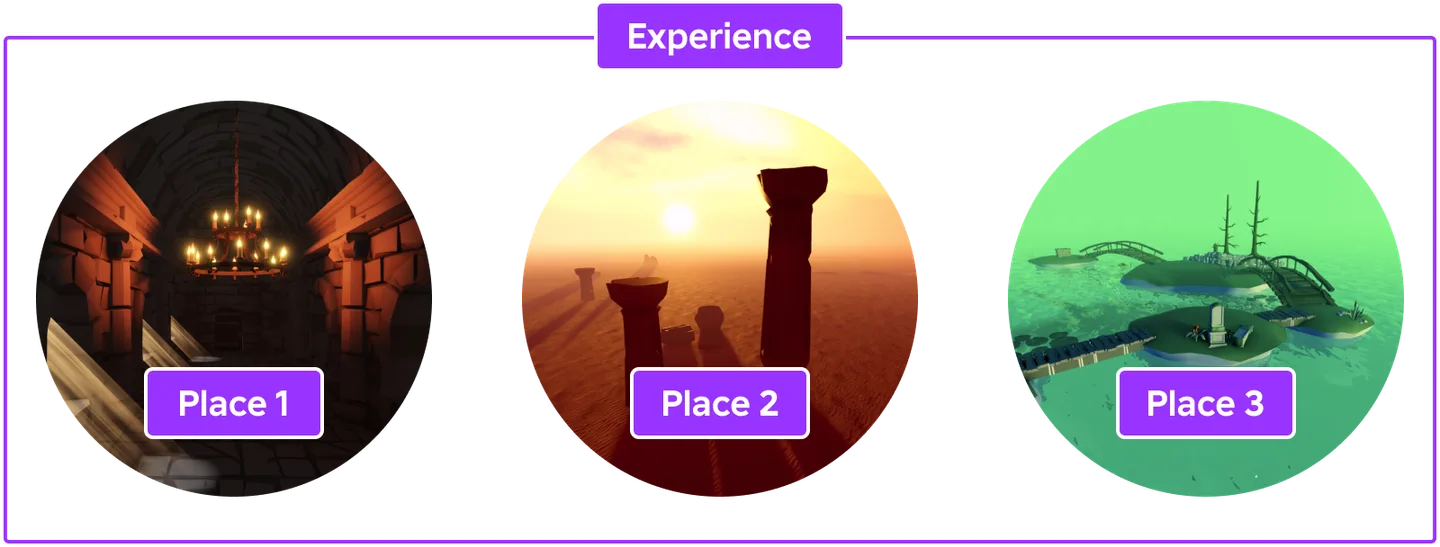
A game is a container for one or more places. The first place you publish becomes the start place, the one players load into.
Step 1: Publish for the first time
- Open your place in Studio. If it is a fresh template, it is called
Place1. - Click File › Publish.
- In Game details, upload an icon and a thumbnail, enter a Name, optionally add Promotional Text (a beta), pick a Genre and Subgenre, and write a Description.
- Click Save.
The game now exists on Roblox. Later saves with File › Publish update it. Keep the place under 100 MB; past that, Roblox says saving and publishing might fail.
Your icon must be square and at least 512x512, and thumbnails are 16:9, ideally 1920x1080. Both are moderated. Our Roblox game icon and Roblox thumbnail maker guides cover sizes, design and AI workflows.
Higgsfield AI
Images and videoMakes the square icon and 16:9 thumbnail art you upload in the Game details window.
- Free tier
- Paid plans from $19/mo (checked Nov 2026)
Affiliate link: we may earn a commission if you subscribe, at no extra cost to you. How this works.
Step 2: Test with a small group
Before a full release, Studio’s publish flow offers Invite, which lets you bring in early testers. You can also manage testers from the Creator Dashboard: open your game, go to Publish settings › Manage Audience › Manage access, and use the Playtest tab (Early testers, Playtesters) or the Public tab (Friends). Click Save Changes.
A handful of real players will find bugs your solo playtests miss: spawn issues, impossible jumps, UI that does not fit a phone screen. Fix those first.
Step 3: Release the game
Choose File › Publish and click Continue instead of Invite. The first question of the Content Ratings Questionnaire asks whether the game has age-restricted content. Your answer sets which path you take.
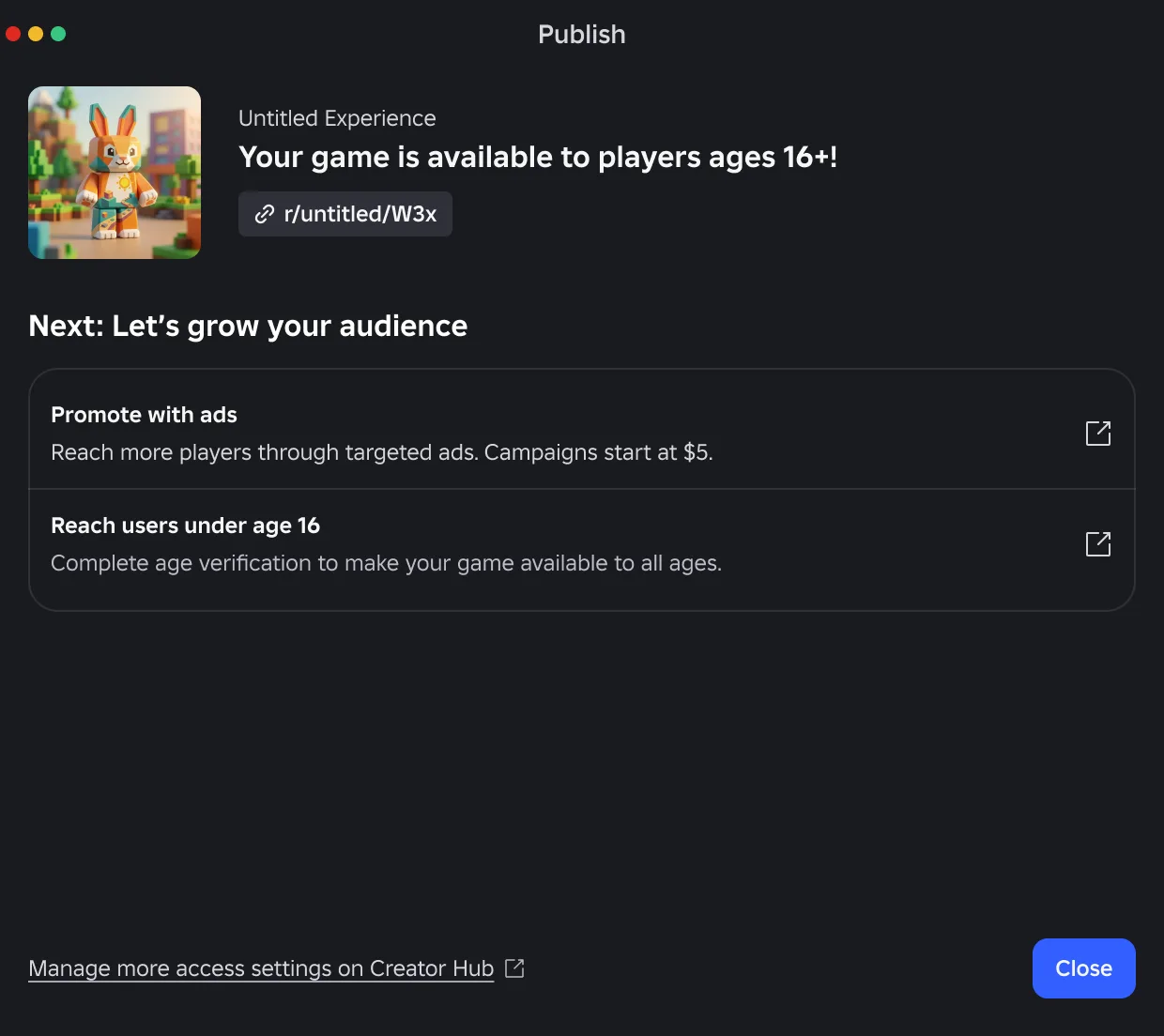
Releasing to users 16 and up
If you answer No, the game gets a “Content May Vary” rating and is released only to age-checked users 16 and older. Your account must be in good standing, at least 2 days old, and age-checked (facial age estimation or a government ID).
Releasing to all ages
If you answer Yes, you fill in the full questionnaire. To reach all ages, including Roblox Kids and Select, you need everything above plus:
- A verified account with 2-step verification turned on.
- Roblox Plus or Premium for 2 consecutive months, or a one-time refundable fee.
- A passed evaluation.
- A full questionnaire result of Minimal, Mild or Moderate (9+).
Step 4: Pay the publishing fee
Public release has a fee of 1,000 Robux per game, paid in the Creator Dashboard under your game’s Audience › Reach. Roblox refunds it if the game keeps 25 highly engaged players for 60 days without moderation. You can release up to 5 never-before-released games per day.
Step 5: Manage the game after release
The Creator Dashboard is where you manage everything after launch: thumbnails, icon, places, monetization and analytics. If you want to keep the game playable but not pushed to new players, use Audience › Advanced Settings › Recommendations › Exclude from recommendations.
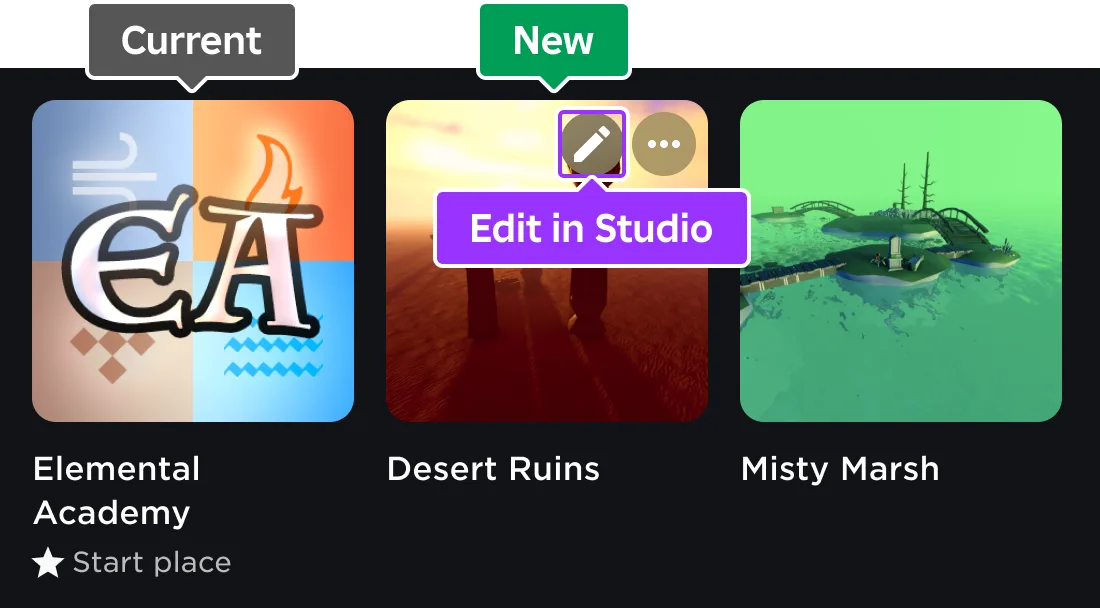
If your game has several places, you can change which one is the start place in the dashboard’s places settings.
Common problems
If Publish fails, check the place size against the 100 MB limit and make sure Studio is up to date (an Update button appears in the upper-right corner when it is not). If players cannot join, confirm you released it and did not only publish. If your icon does not appear, it is probably still in moderation.
Publishing with AI help works too. Studio’s MCP server has a save_place tool that does the same as File › Save but never publishes, so releasing stays a manual step you control. Its open_cloud_invoke tool can change game settings for already-published games without an API key; see the Roblox Studio MCP guide.
After release: earning
Once live, you can add game passes and developer products, and qualifying creators can cash out Robux through the Developer Exchange. Start with our Roblox DevEx guide. For a realistic look at the top end, see what $100K a month on Roblox actually takes. If you have not built the game yet, go back to the how to make a Roblox game hub or the step-by-step tutorial.
Publishing a Roblox Game FAQ
Is publishing a Roblox game free?
Saving and publishing privately is free. Releasing to the public costs a one-time publishing fee of 1,000 Robux per game, refunded if the game keeps 25 highly engaged players for 60 days without moderation.
Why is my Roblox game private after I published it?
All new games start private, open only to you, users with Edit access and permitted group members. You make it playable for others by releasing it from File › Publish.
What do I need to release a game to all ages?
A verified account with 2-step verification, an age check, either Roblox Plus or Premium for 2 consecutive months or a one-time refundable fee, passing an evaluation, and a full content questionnaire with a Minimal, Mild or Moderate (9+) rating.
How many games can I release per day?
Roblox allows up to 5 never-before-released games per day.
Is there a size limit for a Roblox place?
Yes, 100 MB. Above that, Save to Roblox and Publish to Roblox might fail.
Keep building
Every guide, newest first Alex Balfanz: How Jailbreak Paid for College and Built a BusinessAlex Balfanz learned to code on Roblox at 9 and co-created Jailbreak, now over 7 billion visits. How the game grew, how it earns and what you can copy.Publishing and Growth3 min read
 Brookhaven: From Wolfpaq's Roleplay Town to a Voldex AcquisitionWolfpaq created Brookhaven in 2020 and Voldex bought it in 2025 for an undisclosed price. How the roleplay town grew, how it earns and what you can copy.Publishing and Growth3 min read
 Uplift Games: How the Adopt Me! Team Built a Roblox StudioHow Uplift Games turned Adopt Me! from a two-person Roblox project into a studio, with reported growth figures, how it earns, and steps you can copy.Publishing and Growth4 min read
 How to Make a Roblox Game: The Full Process, With and Without AIInstall free Roblox Studio, start from a template, build, script, test, then publish from File › Publish. Every stage explained, plus where AI tools help.Beginners7 min read
 How to Make a Roblox Game Step by Step: Your First Obby in One AfternoonA click-by-click beginner tutorial: install Roblox Studio, open Baseplate, build an obby, add a kill brick script, playtest with F5 and publish it privately.Beginners4 min read
 How to Make a Roblox Obby: Checkpoints, Kill Bricks and a Finish LineBuild a Roblox obby in Studio: block out stages, add kill bricks, checkpoints and a finish, then use Assistant or the Studio MCP to script and test it faster.Game Types6 min read