Roblox AI Script Generator: Write Luau Scripts With AI
Ways to generate Roblox scripts with AI: Studio Assistant, Code Assist, and Claude or Cursor through MCP, plus prompts and checks before you trust the code.
Image: Natural Disaster Survival by Stickmasterluke (Roblox)
On this page8
The quickest Roblox AI script generator is already inside Studio: click Assistant on the right side of the mezzanine bar and describe the script you want, and it creates or edits the script in your place. For line-by-line help while you type, use Code Assist in the Script Editor. For bigger jobs, connect Claude, Claude Code or Cursor to Studio through the built-in MCP server. Whatever writes the code, you still read it and playtest it.
Quick facts
- Inside Studio
- Assistant, Code Assist
- Outside Studio
- Claude, Cursor, ChatGPT, Copilot
- Bridge
- Built-in Studio MCP server
- Language
- Luau (not plain Lua)
Option 1: Studio Assistant
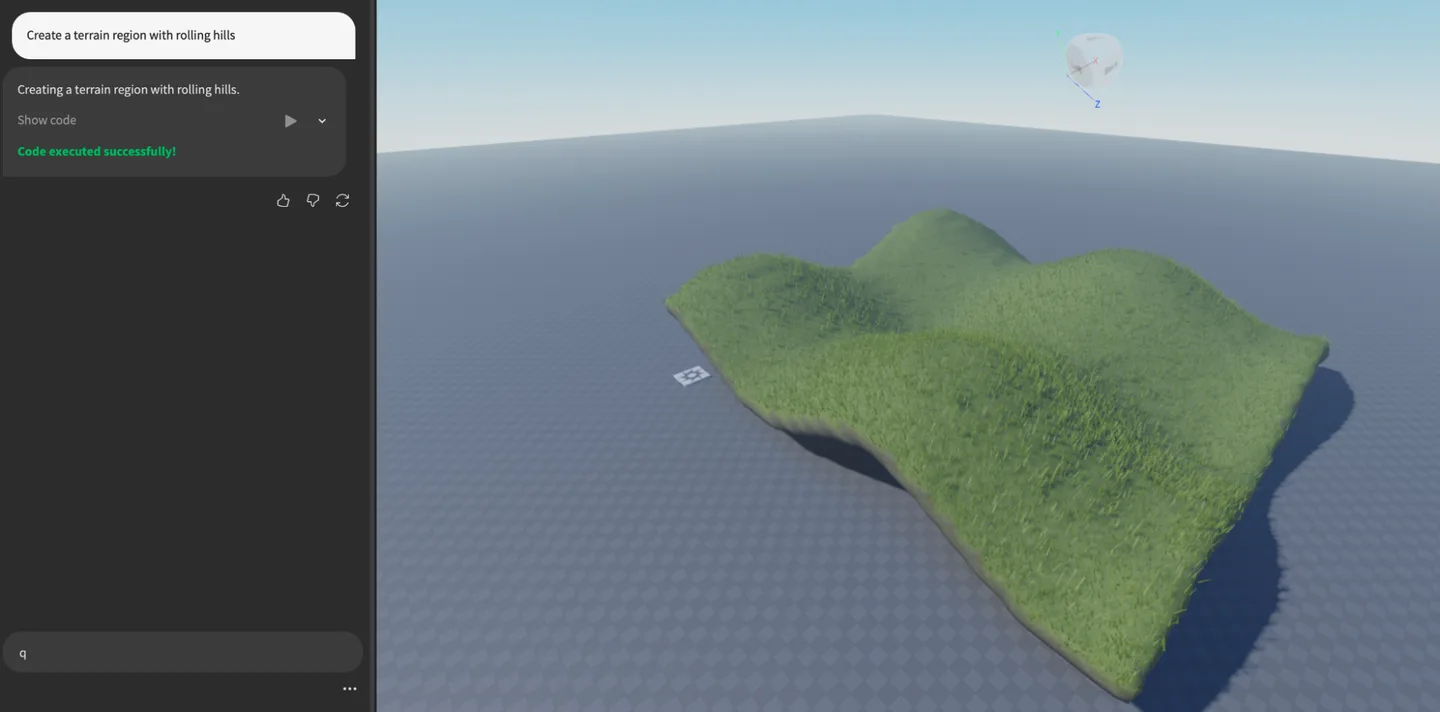
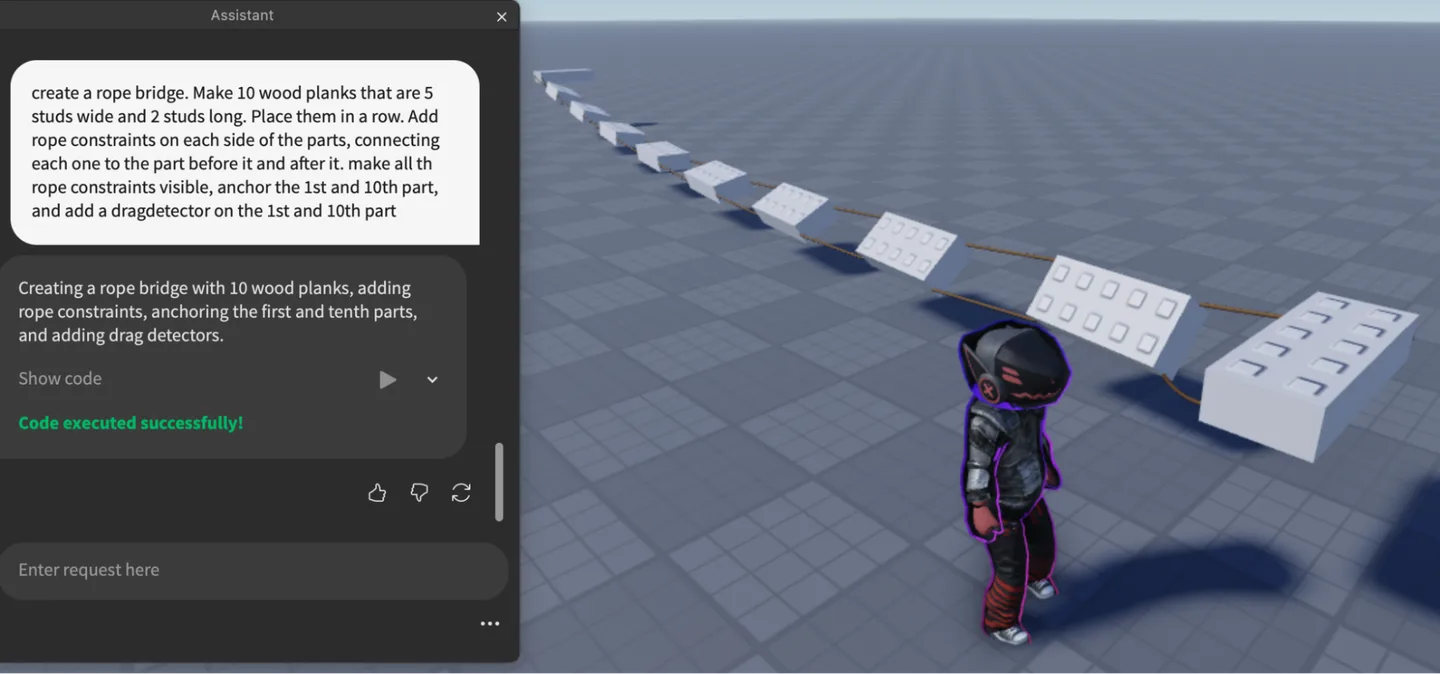
Assistant combines a language model with a system that runs commands on your place’s data model. That means it can create and change objects and scripts directly, explain code you select, and insert Creator Store assets. It knows where things are in your Explorer, which a chatbot in a browser tab does not.
Two features make it better for scripting than a single prompt:
- Planning Mode. Pick Plan in the dropdown or type
/plan. Assistant writes an editable Markdown plan, and nothing runs until you click Build. Use this for anything with more than one script. - Skills. You can save Markdown instructions with
name,descriptionandenabledfrontmatter in the Skills tab, for example your folder layout and naming rules. Therbx-prefix is reserved for Roblox’s own skills.
You can also bring your own model key under Assistant › … › Manage API Keys (Anthropic, OpenAI and Google Gemini are listed). Our Roblox Assistant guide covers the rest.
Option 2: Code Assist
Code Assist is autocomplete for whole lines and functions. It triggers after you pause typing, or on demand with Alt+\ on Windows and Option+\ on Mac, and Tab accepts. It needs a few lines of code to work from, so write a comment and the first line yourself. Roblox’s docs list its limits plainly: there is a daily cap on suggestions, and it may suggest older APIs or Lua instead of Luau. Your code is not used for training.
Option 3: Claude, Cursor or Claude Code through MCP
Roblox Studio has an MCP server built in. Once it is on, an AI app can read scripts (script_read, script_search, script_grep), write them with multi_edit (which creates the script if the path does not exist), run Luau with execute_luau in Edit, Client or Server, and start a playtest. Setup takes a few minutes and is covered step by step in Roblox Studio MCP.
Claude
CodeWrites and reviews Luau, and can edit your place directly once connected to Studio's MCP server.
- Free tier
- Pro $20/mo (checked Nov 2026)
Cursor
CodeWorks well when your scripts live as files in a Rojo or Script Sync folder.
- Free tier
For file-based work, Roblox’s “Build with a coding harness” guide pairs VS Code (for example with the Claude Code extension) or Cursor with Git and Studio’s Script Sync beta. Script Sync turns .luau files into scripts, and MCP reaches what Script Sync cannot, such as StarterGui and StarterPack.
Option 4: a plain chatbot
ChatGPT or Claude in a browser can write a script you paste in. It works for small, self-contained pieces. The weak spot is context: the chatbot cannot see your Explorer, so tell it exactly where each script goes and what objects exist.
ChatGPT
CodeFine for short scripts you paste in yourself, as long as you describe your Explorer layout.
- Free tier
Prompts that produce working scripts
Vague prompts give vague code. Include:
- The script type and location: “a Script in ServerScriptService” or “a LocalScript in StarterPlayerScripts”.
- The objects it uses, with exact names: “a part named
LavaFloorin Workspace”. - The behavior and edge cases: “only damage players, ignore other parts”.
- The language: “Luau for Roblox, use
game:GetService()”.
A good test prompt is one with a known answer. Ask for a kill brick, then compare the result to the official deadly lava tutorial code:
local lava = script.Parent

local function kill(otherPart)
    local partParent = otherPart.Parent
    local humanoid = partParent:FindFirstChild("Humanoid")
    if humanoid then
        humanoid.Health = 0
    end
end

lava.Touched:Connect(kill)
If the AI’s version is close to this, it understands the basics. If it invents functions or skips the Humanoid check, be careful with anything larger.
Checks before you trust AI code
- Location. Server logic (coins, damage, saving) belongs in a server Script. A LocalScript changing a player’s coins only changes them on that player’s screen.
- RemoteEvents. On the server,
OnServerEventgives you the Player as the first argument. Validate everything after it, because clients can send anything. - Data stores. Calls like
GetAsyncandSetAsyncshould be wrapped inpcall(). In Studio they only work after you enable Studio access to API services on a published test copy. - Remote code. Do not accept
require()with a number,loadstring()orInsertService:LoadAsset()unless you know why it is there. The Creator Store restricts these for a reason. - Deprecated APIs. If something looks unfamiliar, search it on create.roblox.com/docs. If it is not there, the AI made it up.
Script Analysis in the Script Editor flags many errors before you even press Play.

Learn enough to steer it
AI script generators save the most time for people who can read Luau. A weekend with the official tutorials pays for itself the first time you spot a bug the AI missed. Our scripting tutorial covers script locations, events, leaderstats and RemoteEvents with official examples, and how to make Roblox games with AI shows the full workflow beyond code.
Roblox AI Script FAQ
Is there a free AI script generator for Roblox?
Studio's Assistant and Code Assist are built into Roblox Studio, which is free. The docs we read list no price for Assistant, and Code Assist has a daily cap on suggestions.
Which AI is best for writing Roblox scripts?
For edits inside your place, Studio Assistant or an AI app connected through Studio MCP works best, because it can read your Explorer tree. For larger projects, Claude or Cursor on a Rojo or Script Sync folder is easier to review with Git.
Does AI write Lua or Luau?
Roblox uses Luau. Roblox's docs warn that Code Assist may suggest older APIs or plain Lua, and general chatbots can do the same, so check output against the Luau docs.
Is it safe to paste AI generated scripts into my game?
Read them first. Check that server code sits on the server, that RemoteEvent handlers validate what clients send, and that nothing calls require() with an asset ID you did not choose.
Does Roblox train on my code when I use Code Assist?
Roblox's Script Editor docs say your code is not used for training Code Assist.
Keep building
Every guide, newest first Roblox Studio Scripts: 13 Free Copy-Paste Luau Scripts Checked Against the DocsFree copy-paste Luau scripts for Roblox Studio: kill brick, leaderstats, coins, saving, doors, teleports, game passes and more, each checked against the docs.Scripts Library9 min read
 Rojo for Roblox: Script in VS Code and Sync to StudioSet up Rojo for Roblox: install with Rokit or the VS Code extension, add the Studio plugin, run rojo serve, click Connect, then build place files.Scripting4 min read
 Roblox Studio MCP: Connect Claude, Claude Code or Cursor to StudioTurn on Roblox Studio's built-in MCP server in Assistant, then connect Claude Desktop, Claude Code or Cursor. Config for Windows and Mac, tools, Higgsfield.AI Tools5 min read
 How to Make Roblox Games With AI, From Idea to Published GameMake a Roblox game with AI: plan with Claude, build in Studio with Assistant and MCP, make art in Higgsfield, then playtest and publish. Every step in order.AI Tools5 min read
 How to Script in Roblox: A Beginner Luau TutorialLearn to script in Roblox Studio with Luau: where scripts go, your first kill brick, a points leaderboard, RemoteEvents and saving data, with official code.Scripting4 min read
 Roblox AI Game Maker: Every Way to Make a Roblox Game With AIThe real Roblox AI game makers: Build on mobile, Assistant in Studio, Studio MCP with Claude or Cursor, plus Higgsfield for art, video and fast prototypes.AI Tools4 min read