

Roblox Studio Update Notes: November 18 to 24, 2026
Roblox Studio update notes for November 18 to 24, 2026, sorted by what you can ship now and what is still in beta, with menu paths, limits and API names.
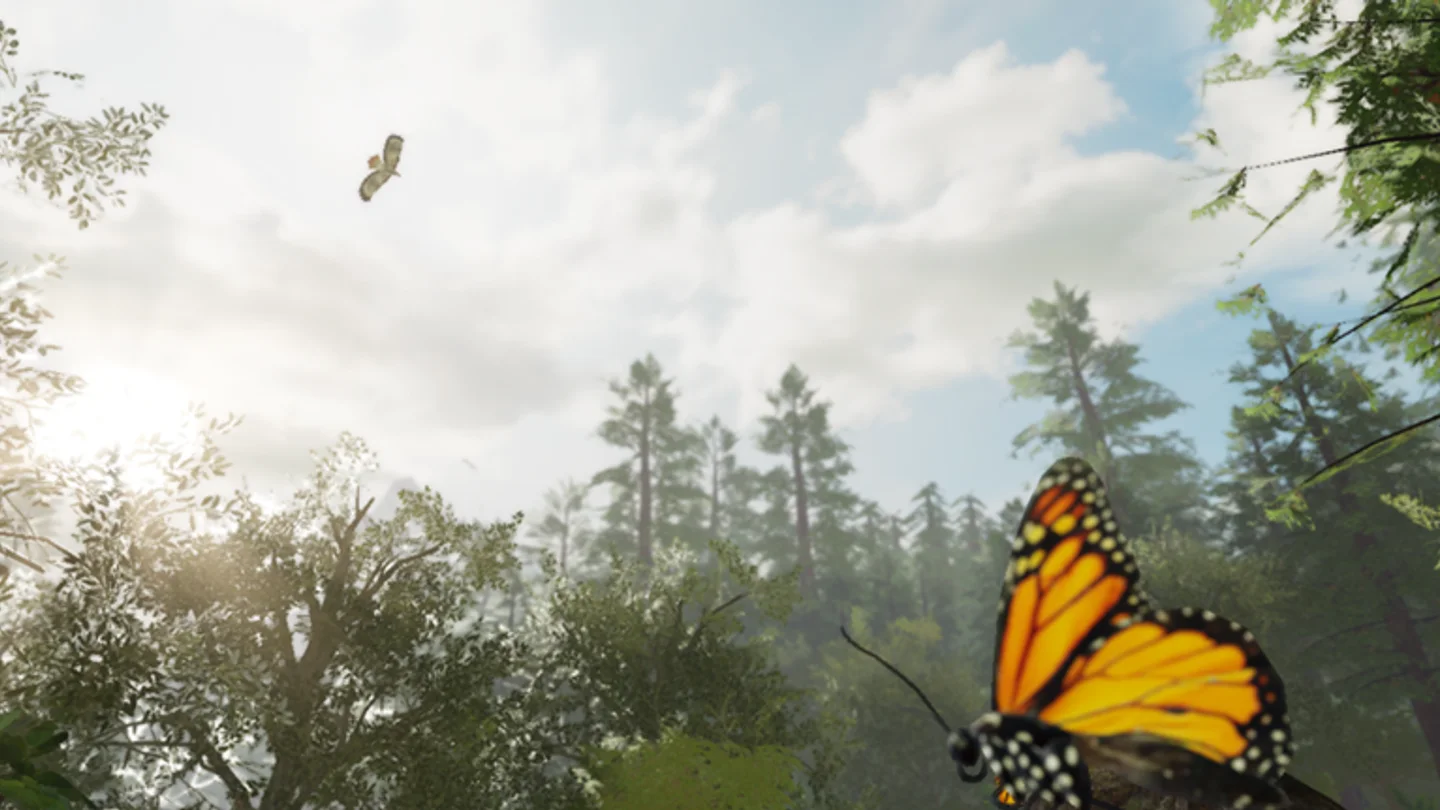
Image: Roblox - Realistic Forest Demo by Alpha Strike Group (Roblox)
On this page5
The Roblox Studio update notes for November 18 to 24, 2026 include full releases for friends list APIs, Asset Manager search, Animation Graph state machines and a server region property. UI particles and acoustic sound simulation arrived as Studio betas, so treat those two as test features for now.
Everything below comes from the Roblox DevForum announcement for each feature. This page covers a selection of that week’s posts. Problem reports mentioned here come from replies on the first page of a thread and are user reports that we have not reproduced.
Quick facts
- Period covered
- November 18 to 24, 2026
- Full releases
- Friends APIs, Omnisearch, state machines, ServerRegion
- Studio betas
- UI Particles, Sounds Use Wiring
- Web play
- WebGPU rendering in Creator Beta
What you can use in a live game now
Friends in the server and in the experience
The November 23 post adds two methods on Player. GetFriendsInServerAsync() returns the Player objects of friends in the same server, without the caller. GetFriendsInUniverseAsync() returns tables that include User, PlaceId and GameId for friends anywhere in the experience.
Three details can trip you up. The universe version only works on Players.LocalPlayer and errors for anyone else. GameId holds the server’s JobId, in spite of its name. Replies also point out that the post and the API docs disagree on whether PlaceId is a string or a number, so check the type before comparing it. Wrap both calls in pcall.
Some friends will be missing by design. People who set online status or current game visibility to No One are left out. The post also describes a limit for Australian users under 16 who have the related developer setting set to No.
Server region
game.ServerRegion, announced November 19, gives server scripts a three-letter airport style code such as IAD or SYD. It is a string, so new codes can appear later, and your script should have a fallback for ones it does not know. Clients cannot read it. You can also see regions in Creator Hub under your game’s Server Management page. Staff said that choosing a region for TeleportService or manually started servers is still being worked on. A separate forum thread reports the property returning blank, so test for an empty string.
State machines in Animation Graphs
State machines and Luau expressions reached full release on November 19. In the Animation Graph Editor, right-click the canvas and choose Insert Node, then State Machine. Scripts drive graph parameters with SetParameter() on the animation track. Expressions can use the math library but cannot use loops, functions, tables, method calls or the DataModel. They do not replace Humanoid states. Our Roblox animation guide explains how this fits with clips made in the Animation Editor.
Pixelated textures
The pixel art post from November 24 adds an opt-in ResampleMode property. Select a Decal, Texture or SurfaceAppearance, then change ResampleMode under Appearance from Default to Pixelated. For a mesh, set it on the SurfaceAppearance child.
It has no effect through MeshPart.TextureID, terrain or MaterialVariant. Pixelated textures are stored uncompressed and stay fully loaded, which matters for memory if you use many of them. Keep source art at its original size, and make any PBR maps match the color map’s dimensions. Faraway surfaces can still look blended because of mipmaps.
Changes to your Studio workflow
Omnisearch in Asset Manager
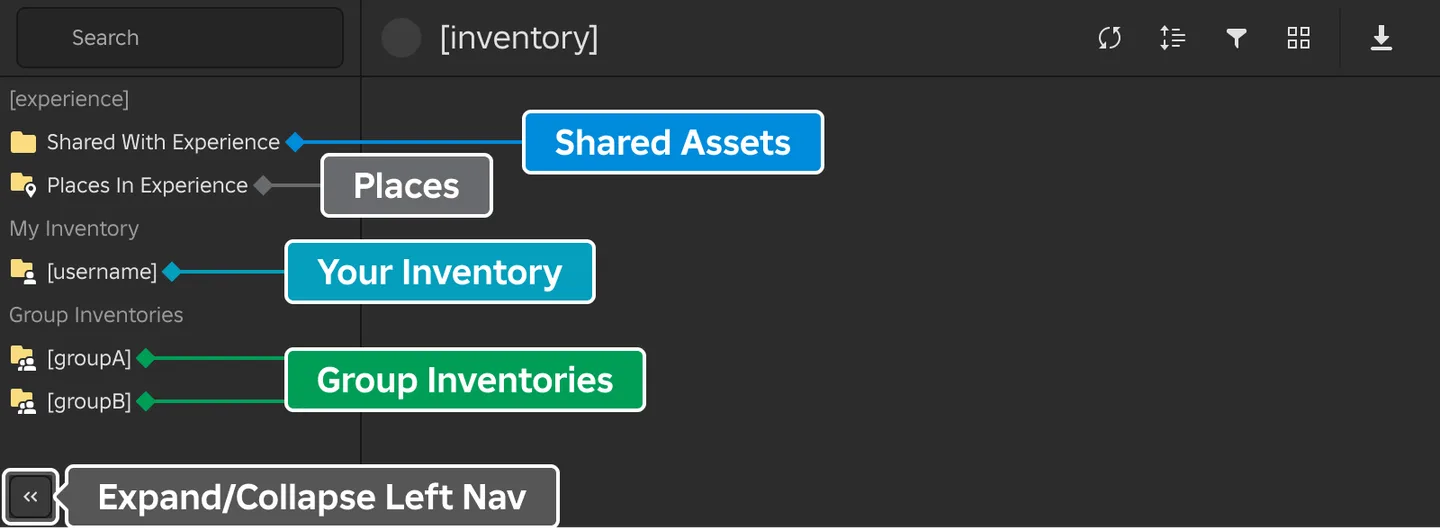
Asset Manager can now search every asset type at once, including assets shared with your group. Open it from Home › Assets or Window › Asset Manager. You can narrow results by asset type, creator or Creator Store, and remove each filter chip separately. Click the x in the search bar to leave the results.
Copy instances as JSON
Studio can copy and paste an instance as JSON through a Copy as Json option. The output lists properties that differ from their defaults. A $ prefix marks an attribute and a . prefix marks a tag. Pasting onto a selection with a matching class overwrites its properties, including across several selected objects. Child objects are not included yet. One reply reports a Studio crash when pasting a class that cannot normally be created, such as ParabolaAdornment, so save before experimenting.
Studio MCP tools
On November 20, Roblox described changes to the MCP server. AI agents can record playtest video, save the place with an optional version note, and send feedback about Studio tools. Saving does not publish. Setup steps and the cautions are in the Studio MCP guide.
Features to test, not ship yet
UI Particles
Turn on File › Beta Features › UI Particles and restart Studio to get ParticleEmitter2D, which sits under a GuiObject and has Emit and Clear methods. The beta post says you cannot publish live games with it yet. It also lists no clipping in SurfaceGui or BillboardGui, no styling support, and particles that disappear suddenly when their GuiObject is culled. For layouts that will hold the effects later, see Roblox UI design.
Acoustic simulation for Sounds
The November 24 audio beta is enabled with File › Beta Features › Sounds Use Wiring and works in Studio only. New controls include SoundService.AcousticSimulationEnabled, a per-Sound setting to opt out, BasePart.AudioCanCollide and an AudioAbsorption value in physical properties. It changes some older behavior too: sound effects are no longer cut off when their Sound stops, and the behavior tied to turning off RespectFilteringEnabled is removed. If your game’s audio depends on either, play through it with the beta on.
What to check in your own game
If you have a custom friends feature, compare it with the two new methods and handle an empty or partial list. Pixel art games can try Pixelated on one asset first and watch memory. Anyone planning region labels should log game.ServerRegion on a live server, since a Studio test returns nothing. For the wider build process, start at how to make a Roblox game, and for the code side see how to script in Roblox. Our news hub collects later changes.
November 2026 Studio changes FAQ
What are the latest Roblox Studio update notes?
Between November 18 and 24, 2026, Roblox staff posted Pixelated resampling, two friends list methods, Omnisearch in Asset Manager, Animation Graph state machines, game.ServerRegion, JSON copy and paste, Studio MCP tool changes, and betas for UI particles and sound acoustics.
Can I publish a game that uses UI Particles?
Not yet. The November 19 announcement says live games cannot be published with ParticleEmitter2D while the feature is in Studio Beta.
Why is game.ServerRegion empty in Studio?
That is expected. The property is filled in on live servers only, and it reads as empty in Studio, in play-solo and on clients.
How do I make pixel art look sharp in Roblox?
Set ResampleMode to Pixelated on a Decal, Texture or SurfaceAppearance. The setting does not apply to MeshPart.TextureID, terrain or MaterialVariant.
Keep building
Every guide, newest first Blender to Roblox: Export Settings and Import StepsMove models from Blender into Roblox Studio: official FBX export settings, 3D Importer steps, triangle and texture limits, and Roblox's Blender plugin.Assets and Models4 min read
 How to Make a Map in Roblox Studio (Terrain, Heightmaps and AI)Make a map in Roblox Studio with the Terrain Editor: Generate, heightmap Import, sculpt and paint tools, plus how Assistant and the Studio MCP help fill it in.Building and Maps4 min read
 Roblox Assets and the Toolbox: Find Free Models SafelyUse the Roblox Studio Toolbox and Creator Store for free assets, manage your own with Asset Manager, import 3D files and audio, and spot unsafe models.Assets and Models4 min read
 Roblox Lighting: Every Setting Explained, With Presets That WorkRoblox lighting explained: LightingStyle, ClockTime, Ambient, shadows, Atmosphere and post-processing, with day, sunset and horror setups to copy into Studio.Building and Maps4 min read
 How to Make a Roblox Game Step by Step: Your First Obby in One AfternoonA click-by-click beginner tutorial: install Roblox Studio, open Baseplate, build an obby, add a kill brick script, playtest with F5 and publish it privately.Beginners4 min read
 How to Animate in Roblox Studio: Animation Editor, Capture and AIOpen the Animation Editor from the Avatar tab, pose a rig on the timeline, set looping and priority, publish to Roblox, then play it with an Animator in Luau.Animation and Video5 min read